
Flex Utility Premium
JW Dev;Tools
4.7583.00 Reviews
- Version
- 237
- Installs
- 10.00K
- Age Rating
- Everyone
Screenshots
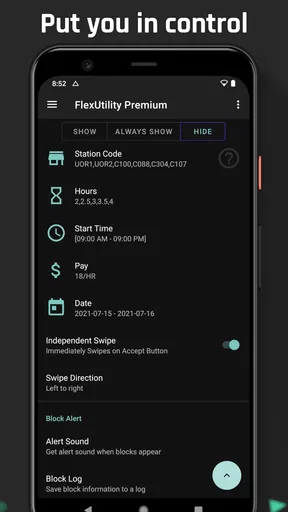
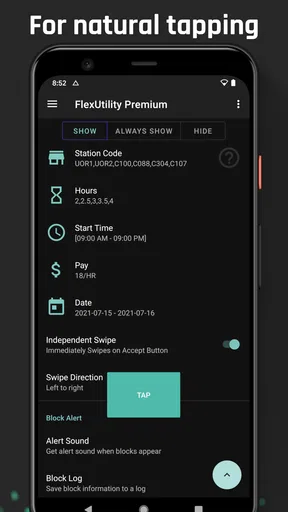
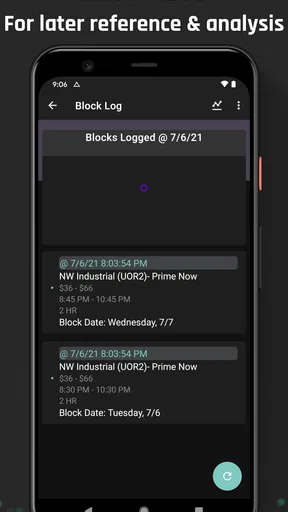
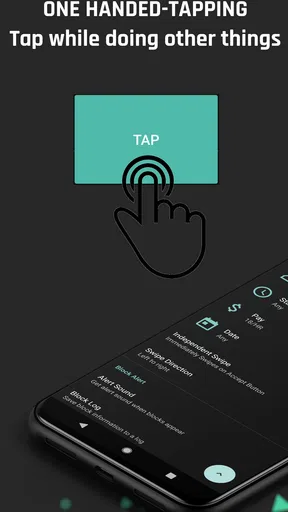
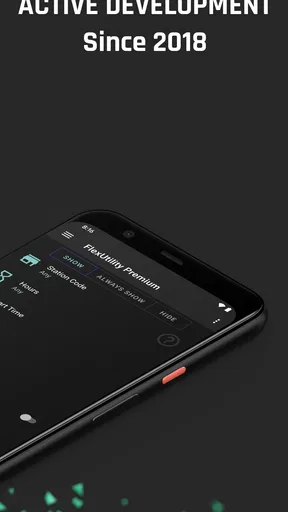
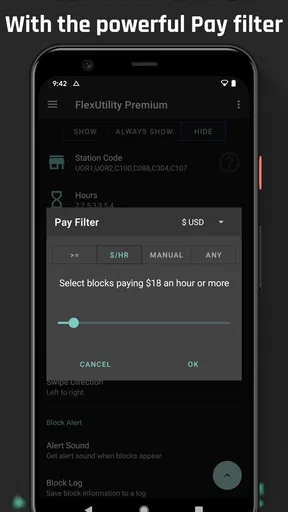
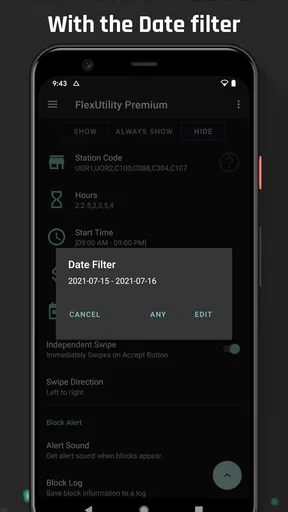
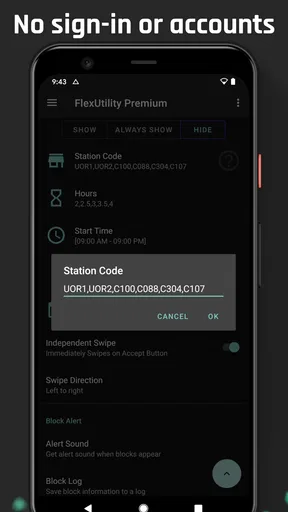
Our Review of Flex Utility Premium
 Analysis by Appyee
I would first set expectations carefully with Flex Utility Premium: despite what its name might suggest, this is a specialized tool for people working with Amazon Flex, not a general organizer for errands, reminders, or personal goals. Its focus is convenient tapping and block filters, so the value depends on whether those tasks are part of your Flex routine. If they are, a dedicated utility may suit you better than trying to adapt an ordinary productivity app; if they are not, its narrow purpose is a reason to look elsewhere.
What a Flex-focused utility is useful for
For a driver, time spent navigating repetitive actions can matter more than having another place to store notes. A tapping utility is aimed at reducing that friction, while block filters can help make the available information easier to sort through. I’d think of it as a supporting tool for a specific workflow, rather than an app that replaces the Flex service or decides which work is right for you.
That distinction is useful when comparing it with the usual alternatives. A general automation app may be flexible, but it can take more effort to configure and may not be tailored to this particular work pattern. A manual approach keeps you in control without adding a dedicated app, but it also leaves every repeated step to you. Flex Utility Premium occupies the specialized middle ground: more focused than a generic tool, while still requiring you to understand and supervise your own workflow.
Where speed matters—and what to expect
The appeal here is not a promise that every part of a driver’s day becomes faster. It is the possibility of making particular repeated interactions more convenient. In practice, I’d judge its speed by whether it reduces hassle in the moments it is designed for, not by expecting it to improve phone performance, network conditions, or the availability of work.
That makes a small trial workflow a sensible first step. Before relying on it during a busy moment, take time to learn what the tapping and filtering options do, then check that the results fit your own routine. A tool that saves effort only helps if you can tell what it is doing and remain comfortable with the actions it supports.
One useful habit is to keep a manual fallback. If the app behaves differently than you expect, or you are unsure whether a filter is affecting what you see, pause and use the standard app or your normal method instead. That is not a knock on a specialized utility; it is a practical way to avoid letting convenience turn into guesswork.
Busy periods, reliability, and recovery
Consider a driver checking for work between other commitments. A focused utility may be handy when the same kinds of choices and screens come up repeatedly, because filtering can reduce the effort of scanning. But during a rushed moment, a setting that is misunderstood can create more friction than it removes. I would make any adjustments when there is time to review them rather than changing several things at once while trying to act quickly.
For reliability, I’d separate the app’s role from the conditions around it. A utility can help with its own supported interactions, but it cannot make a poor connection reliable or guarantee what another service will display. If something seems out of date or unexpected, check the underlying Flex app and the phone’s connection before assuming the utility is at fault. After a pause or interruption, reopening the relevant screens and reviewing the current state is safer than assuming a previous action completed.
There is also a reasonable trade-off between convenience and control. Automating or simplifying repetitive interactions can save attention, but it makes it important to know when the tool is active and to verify consequential choices yourself. I would avoid treating any tapping aid as a substitute for reading what is on screen. For work decisions, a quick confirmation is worth more than shaving off a moment and acting on the wrong information.
What is Flex Utility Premium All About?
So, first things first, what exactly is Flex Utility Premium? Well, it’s an app designed to streamline your daily tasks and help you manage everything from to-do lists to reminders, all packed into one neat little package. It’s like having a personal assistant right in your pocket!
Key Features That Stand Out
Let’s dive into some of the features that make this app worth considering. One of my personal favorites is the intuitive user interface. The app is incredibly easy to navigate, with a sleek design that doesn’t overwhelm you with options. Everything is where you expect it to be, which is a big plus in my book.
Another cool feature is the customizable task lists. You can create lists for anything and everything, from grocery shopping to project deadlines. Plus, you can set reminders and notifications so you’ll never miss a beat. It’s like having a little nudge when you need it most.
Oh, and did I mention the cloud sync? This feature ensures that your data is safe and accessible from any device. So, whether you’re on your phone or tablet, your tasks and lists are always up to date. Handy, right?
How It Makes Life Easier
Now, you might be wondering, how does this app actually make life easier? Well, let me tell you, the ability to organize and prioritize tasks in one place is a game-changer. It’s like having a roadmap for your day, helping you focus on what’s important without getting distracted.
The app also offers integration with other tools you might already be using. For instance, syncing with your calendar or email means all your appointments and reminders are in one spot. It’s all about connectivity and efficiency, which is a huge win for productivity geeks like me!
Getting the Most Out of It
To really get the most out of Flex Utility Premium, I’d recommend spending a little time setting it up just the way you like it. Customize those lists, tweak your notification settings, and you’ll be amazed at how smoothly things start to run.
For those who are into goal setting, the app’s tracking features are a sweet bonus. You can track your progress on various projects or personal goals, giving you a visual representation of how far you’ve come. It’s motivating to see those checkmarks add up!
Performance and device fit
Flex Utility is a Tools app from JW Dev. It has a 4.6 average from around 3,200 ratings, with over 10,000 installs. That gives a prospective user some social proof, though I would still judge it by whether its specific functions fit the way I work rather than by popularity alone. It is rated for Everyone, but that age classification does not mean it is useful to every kind of phone user: its audience is defined more by the Flex workflow than by age.
The app first appeared on March 27, 2019, and its current version is 237. It requires Android 7.0 or later, so an older phone may be excluded even if it otherwise handles everyday tasks well. On a compatible device, I would not assume that a specialist utility is automatically light on resources or perfectly stable; the practical check is whether it responds consistently on your own phone and alongside the Flex app you use.
If your device is already short on storage, runs slowly, or struggles when several apps are open, adding another tool may not be the best first fix. Close what you do not need, test the utility during a low-pressure period, and see whether it remains comfortable to use. I would also avoid drawing conclusions from one hiccup: check the connection and the app you are interacting with, then reopen the relevant screens before trying again.
Cost, fit, and a practical first run
The purchase price is $21.99, and in-app purchases range from $5.99 to $49.99 per item. That is a meaningful commitment for a narrowly focused tool, so I would decide based on regular use rather than curiosity alone. If the tapping and block-filter workflow would help you repeatedly, the cost may feel easier to justify; if you only need an occasional shortcut, manual use or a broader utility you already own may be the more sensible choice. Check the purchase details carefully before committing so you know what is included and what may cost extra.
For a realistic first run, I’d try it at home before a work session: identify one repetitive task you hope to simplify, learn the relevant controls, and compare the result with doing the same thing manually. Then make one change at a time and observe whether it actually saves effort. This is more informative than turning on every option at once, because if the screen behaves unexpectedly you can identify which adjustment may be responsible.
During normal use, I would keep the utility’s purpose narrow. It is not a reason to hand over judgment about which block or action makes sense, and it should not replace checking details in the main Flex experience. If a filter hides something you expected to see, revisit the filter before assuming the opportunity or information is unavailable. That simple habit helps distinguish a display or selection issue from a genuine change elsewhere.
People who drive with Flex regularly and want a purpose-built convenience tool are the clearest fit. Someone who values direct control, rarely encounters repeated interactions, or does not use Flex should skip it. If your main need is scheduling, grocery lists, email reminders, or general organization, a conventional planner is a better match than a specialist driver utility. Likewise, if you prefer not to use tapping assistance, sticking with the standard workflow is a perfectly reasonable choice.
Final Thoughts
In conclusion, Flex Utility Premium is a solid choice for anyone looking to boost their productivity and keep their life organized. Its user-friendly design, robust feature set, and seamless integration capabilities make it a standout app in the sea of productivity tools.
If you’re ready to take control of your day and get things done efficiently, give this app a shot. Trust me, having that extra layer of organization can make all the difference. So, why not give it a whirl and see how it can work wonders for you?
Verdict
Strengths of Flex Utility Premium
- User-friendly interface simplifies navigation.
- Wide range of customization options available.
- Seamless integration with other apps.
- Efficient performance with minimal lag.
- Regular updates with new features.
Limitations of Flex Utility Premium
- Premium features require a subscription.
- Occasional bugs can disrupt use.
- Limited offline functionality.
- High battery consumption on older devices.
- Customer support response can be slow.
Similar Picks in This Category
View All
Google LLC4.0

Gboard - the Google Keyboard
Google LLC4.5

Google Play services
Google LLC4.3

Google Play Store
Google LLC4.9

Files by Google
Google LLC4.5

SHAREit: Transfer, Share Files
Smart Media4U Technology Pte.Ltd.4.3
Frequently Asked Questions
What features does Flex Utility Premium offer?
Flex Utility Premium provides a comprehensive set of tools designed to enhance device performance. It includes features such as system optimization, battery management, and file organization. Users can also enjoy advanced security options and customizable settings to tailor the app to their needs. The app aims to provide a seamless and efficient user experience.
Is Flex Utility Premium safe to use on my device?
Yes, Flex Utility Premium is designed with user safety in mind. It includes robust security measures to protect your data and ensure safe operation on both Android and iOS platforms. Regular updates are provided to address any potential vulnerabilities, offering peace of mind for users concerned about security.
How does Flex Utility Premium improve device performance?
The app enhances device performance through various optimization tools. It cleans unnecessary files, manages background processes, and optimizes battery usage, leading to faster and more efficient device operation. Users often notice a significant improvement in speed and battery life after using its features effectively.
Does Flex Utility Premium require a subscription?
Yes, Flex Utility Premium operates on a subscription model. While some basic features may be available for free, the premium features require a subscription. This allows users access to the full suite of tools and regular updates. The subscription model ensures continuous support and feature enhancements.
Can I customize the settings in Flex Utility Premium?
Absolutely, Flex Utility Premium offers a range of customizable settings. Users can adjust features such as notification preferences, task scheduling, and performance parameters to suit their individual needs. This level of customization ensures that users can tailor the app to best fit their personal usage patterns and preferences.
